
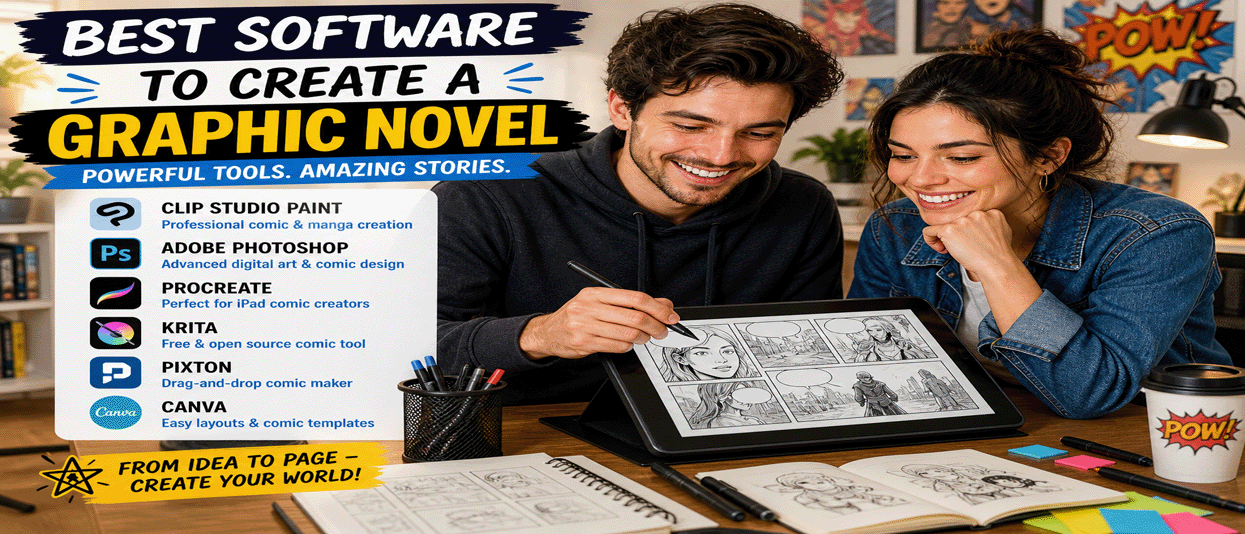
Creating a graphic novel used to require expensive tools, traditional drawing skills, and a full production team. Today, anyone can create a graphic novel using powerful digital software designed for artists, writers, and beginners alike.
Whether you want to draw your own comic, use templates, or build a story with drag-and-drop tools, this guide will show you the best software to create a graphic novel and how to get started.
What You Need to Create a Graphic Novel
Before choosing software, it helps to understand the basic parts of a graphic novel:
- Story and script
- Characters and environments
- Panels and layout
- Dialogue and lettering
- Coloring and effects
The right software can help you manage all of these elements in one place.
1. Clip Studio Paint (Best Overall)
Clip Studio Paint is one of the most popular tools for comic and manga creation. It includes panel tools, speech bubbles, brushes, 3D models, and professional layout features.
Best for: artists who want full control over drawing, inking, and layout.
2. Adobe Photoshop (Advanced Artists)
Photoshop is widely used for digital art and can be used to create graphic novels. It offers powerful drawing, coloring, and editing tools but requires more setup for comic layouts.
Best for: experienced designers and artists who want flexibility.
3. Procreate (iPad Creators)
Procreate is a powerful and affordable app for iPad users. It is known for its smooth drawing experience and intuitive interface.
Best for: mobile creators and artists who prefer drawing directly on a tablet.
4. Canva (Beginner-Friendly)
Canva is a simple design platform that includes templates for comics, storytelling, and visual layouts. While it is not a drawing tool, it is great for beginners who want to create graphic-style content quickly.
Best for: beginners, marketers, and non-artists.
5. Pixton (Drag-and-Drop Comics)
Pixton allows users to create comics using characters, poses, and scenes without drawing. It is widely used in education and storytelling.
Best for: non-artists and quick storytelling.
6. Storyboard That
Storyboard That is another drag-and-drop tool that lets users create comic panels and visual stories easily.
Best for: simple comics, story planning, and beginners.
7. Krita (Free and Open Source)
Krita is a powerful free drawing program with comic templates, brushes, and layout tools. It is a strong alternative to paid software.
Best for: artists who want a free professional-level tool.
8. MediBang Paint (Free Comic Tool)
MediBang Paint is designed specifically for comic creation. It includes cloud storage, comic panels, and ready-made assets.
Best for: beginners and manga creators.
9. Comic Draw
Comic Draw is an iPad-focused app that includes drawing tools, panel layouts, and lettering features specifically for comics.
Best for: mobile comic creators.
10. Blender (For 3D Comics)
Blender is a free 3D creation tool that can be used to create graphic novels with 3D characters, environments, and cinematic scenes.
Best for: advanced creators exploring 3D storytelling.
How to Choose the Right Software
- Beginner: Canva, Pixton, Storyboard That
- Intermediate: MediBang Paint, Krita
- Advanced: Clip Studio Paint, Photoshop
- Mobile: Procreate, Comic Draw
Tips for Creating Your First Graphic Novel
- Start with a short story (5–10 pages)
- Sketch rough layouts before final art
- Focus on storytelling, not perfection
- Use templates to speed up production
- Publish online first to build an audience
Ways to Make Money From Your Graphic Novel
- Sell digital copies on your website
- Publish on Amazon Kindle Direct Publishing
- Use Patreon for recurring income
- Sell prints and merchandise
- Offer exclusive content to subscribers
Final Thoughts
Creating a graphic novel is more accessible than ever. With the right software, anyone can bring their story to life, whether you are an artist, writer, or complete beginner.
Choose a tool that fits your skill level, start small, and build your style over time. The most important step is simply to begin.
Graphic Novels Free Related Articles