
Graphic Novel vs Comic: What Is the Difference?
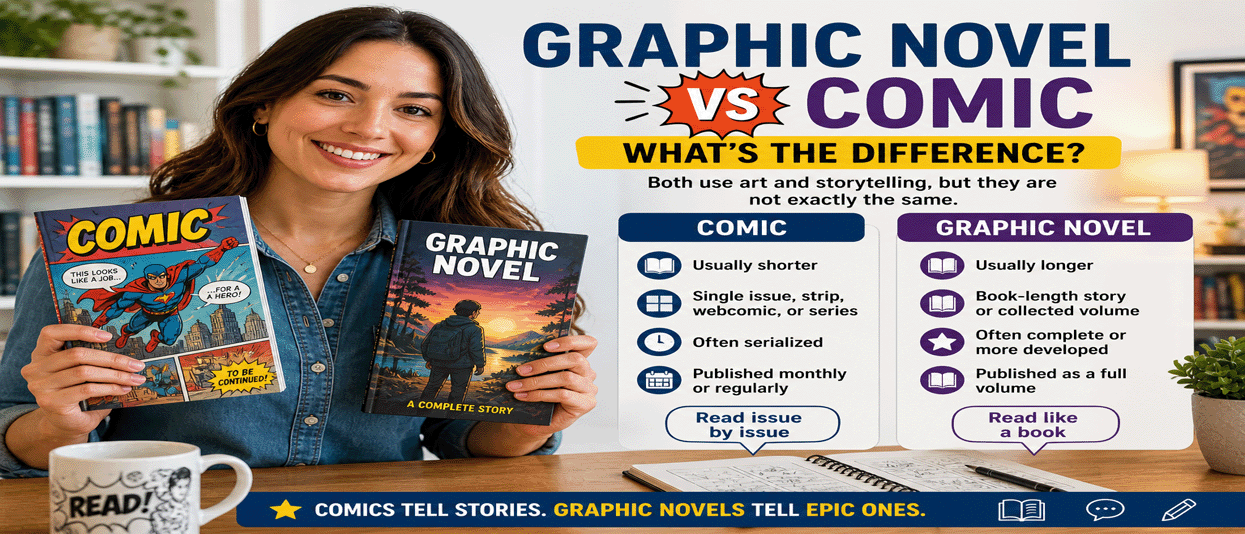
Many readers use the words graphic novel and comic as if they mean the same thing. They are closely related, but they are not always exactly the same.
Both use sequential art, panels, speech bubbles, captions, and visual storytelling. The main difference usually comes down to length, format, story structure, and how the work is published.
What Is a Comic?
A comic is a visual story told through panels, artwork, and text. Comics are often published in shorter installments, such as single issues, strips, webcomics, or serialized chapters.
Comics can be funny, serious, dramatic, educational, scary, romantic, or action-packed. The word “comic” does not mean the story has to be humorous.
What Is a Graphic Novel?
A graphic novel is a longer visual story, usually published as a complete book or collected volume. It may tell one complete story from beginning to end, or it may collect several comic issues into one larger edition.
Graphic novels often feel more like traditional novels because they usually have a larger story arc, deeper character development, and a book-style format.
Main Difference Between Graphic Novels and Comics
| Category | Comic | Graphic Novel |
|---|---|---|
| Length | Usually shorter | Usually longer |
| Format | Single issue, strip, webcomic, or series | Book-length story or collected volume |
| Story | Often serialized | Often complete or more developed |
| Reading Style | Read issue by issue | Read like a book |
| Publishing | Often released monthly or regularly | Often released as a full volume |
Are Graphic Novels Comics?
Yes. A graphic novel is a type of comic, but not every comic is a graphic novel.
Think of it this way: all graphic novels use comic-style storytelling, but graphic novels are usually longer, more complete, and published in book form.
Why People Confuse the Two
The confusion happens because both formats use the same storytelling tools:
- Illustrated panels
- Speech balloons
- Caption boxes
- Sequential storytelling
- Characters and scenes shown visually
The difference is not the art style. It is mostly how the story is structured, packaged, and read.
Examples of Comics
Comics can include:
- Single comic book issues
- Sunday newspaper comic strips
- Webcomics
- Serialized superhero comics
- Short digital comics
Examples of Graphic Novels
Graphic novels can include:
- Original book-length illustrated stories
- Collected comic book story arcs
- Graphic memoirs
- Historical graphic novels
- Educational graphic nonfiction
Which One Should Beginners Read First?
If you are new to visual storytelling, graphic novels are often easier to start with because they usually provide a complete reading experience. You can read one book and understand the full story.
Comics are great if you enjoy ongoing adventures, monthly issues, short episodes, or following characters over time.
Why Graphic Novels Feel More Like Books
Graphic novels often include longer plots, stronger themes, deeper character arcs, and more polished book design. They may be sold in bookstores, libraries, schools, and online book platforms.
This makes graphic novels popular with readers who want the emotional depth of a novel combined with the visual power of comics.
Why Comics Are Still Powerful
Comics are fast, flexible, and exciting. They can tell short jokes, long adventures, superhero battles, horror stories, romance episodes, educational lessons, or daily life moments.
Because comics can be serialized, readers often build a long-term relationship with characters and worlds.
Final Thoughts
The difference between a graphic novel and a comic is simple: comics are the broader category, while graphic novels are usually longer, book-style comics with more complete stories.
If you enjoy visual storytelling, you do not have to choose one over the other. Comics and graphic novels both offer powerful ways to experience art, emotion, action, humor, fantasy, history, and imagination.
Graphic Novels Free Related Articles
Best Software to Create a Graphic Novel (Beginner to Pro Guide)
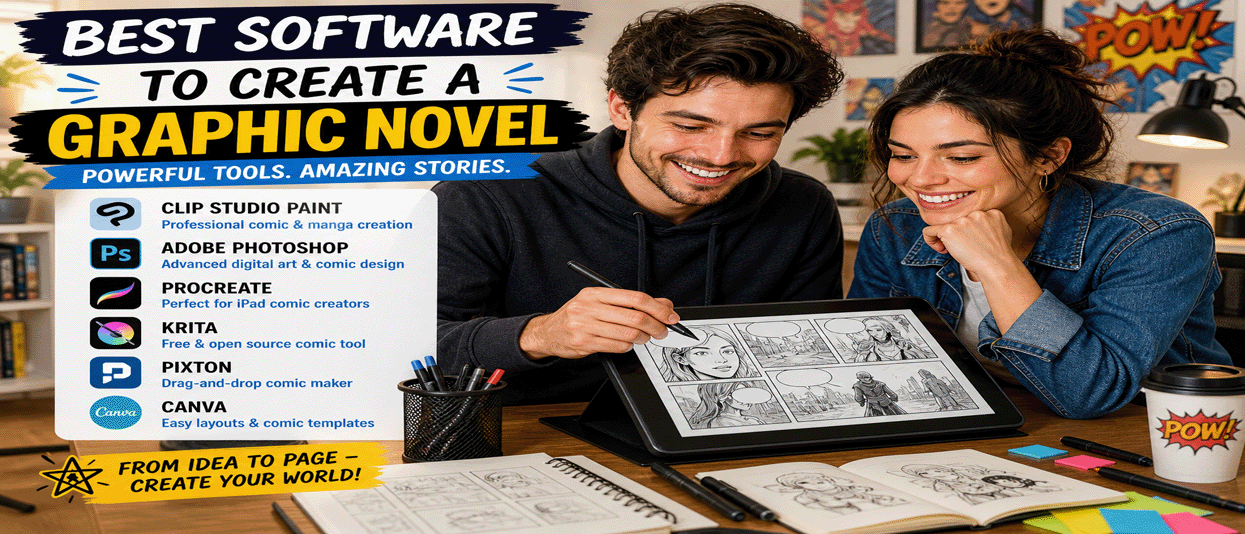
Creating a graphic novel used to require expensive tools, traditional drawing skills, and a full production team. Today, anyone can create a graphic novel using powerful digital software designed for artists, writers, and beginners alike.
Whether you want to draw your own comic, use templates, or build a story with drag-and-drop tools, this guide will show you the best software to create a graphic novel and how to get started.
What You Need to Create a Graphic Novel
Before choosing software, it helps to understand the basic parts of a graphic novel:
- Story and script
- Characters and environments
- Panels and layout
- Dialogue and lettering
- Coloring and effects
The right software can help you manage all of these elements in one place.
1. Clip Studio Paint (Best Overall)
Clip Studio Paint is one of the most popular tools for comic and manga creation. It includes panel tools, speech bubbles, brushes, 3D models, and professional layout features.
Best for: artists who want full control over drawing, inking, and layout.
2. Adobe Photoshop (Advanced Artists)
Photoshop is widely used for digital art and can be used to create graphic novels. It offers powerful drawing, coloring, and editing tools but requires more setup for comic layouts.
Best for: experienced designers and artists who want flexibility.
3. Procreate (iPad Creators)
Procreate is a powerful and affordable app for iPad users. It is known for its smooth drawing experience and intuitive interface.
Best for: mobile creators and artists who prefer drawing directly on a tablet.
4. Canva (Beginner-Friendly)
Canva is a simple design platform that includes templates for comics, storytelling, and visual layouts. While it is not a drawing tool, it is great for beginners who want to create graphic-style content quickly.
Best for: beginners, marketers, and non-artists.
5. Pixton (Drag-and-Drop Comics)
Pixton allows users to create comics using characters, poses, and scenes without drawing. It is widely used in education and storytelling.
Best for: non-artists and quick storytelling.
6. Storyboard That
Storyboard That is another drag-and-drop tool that lets users create comic panels and visual stories easily.
Best for: simple comics, story planning, and beginners.
7. Krita (Free and Open Source)
Krita is a powerful free drawing program with comic templates, brushes, and layout tools. It is a strong alternative to paid software.
Best for: artists who want a free professional-level tool.
8. MediBang Paint (Free Comic Tool)
MediBang Paint is designed specifically for comic creation. It includes cloud storage, comic panels, and ready-made assets.
Best for: beginners and manga creators.
9. Comic Draw
Comic Draw is an iPad-focused app that includes drawing tools, panel layouts, and lettering features specifically for comics.
Best for: mobile comic creators.
10. Blender (For 3D Comics)
Blender is a free 3D creation tool that can be used to create graphic novels with 3D characters, environments, and cinematic scenes.
Best for: advanced creators exploring 3D storytelling.
How to Choose the Right Software
- Beginner: Canva, Pixton, Storyboard That
- Intermediate: MediBang Paint, Krita
- Advanced: Clip Studio Paint, Photoshop
- Mobile: Procreate, Comic Draw
Tips for Creating Your First Graphic Novel
- Start with a short story (5–10 pages)
- Sketch rough layouts before final art
- Focus on storytelling, not perfection
- Use templates to speed up production
- Publish online first to build an audience
Ways to Make Money From Your Graphic Novel
- Sell digital copies on your website
- Publish on Amazon Kindle Direct Publishing
- Use Patreon for recurring income
- Sell prints and merchandise
- Offer exclusive content to subscribers
Final Thoughts
Creating a graphic novel is more accessible than ever. With the right software, anyone can bring their story to life, whether you are an artist, writer, or complete beginner.
Choose a tool that fits your skill level, start small, and build your style over time. The most important step is simply to begin.
Graphic Novels Free Related Articles